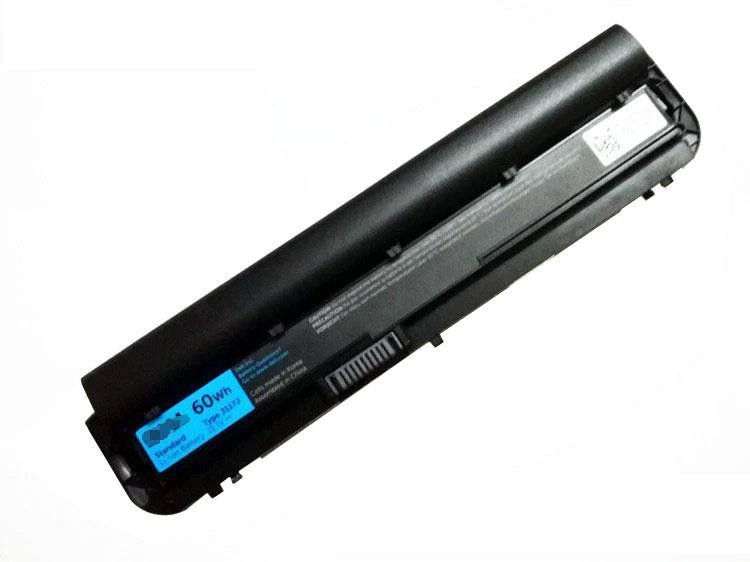
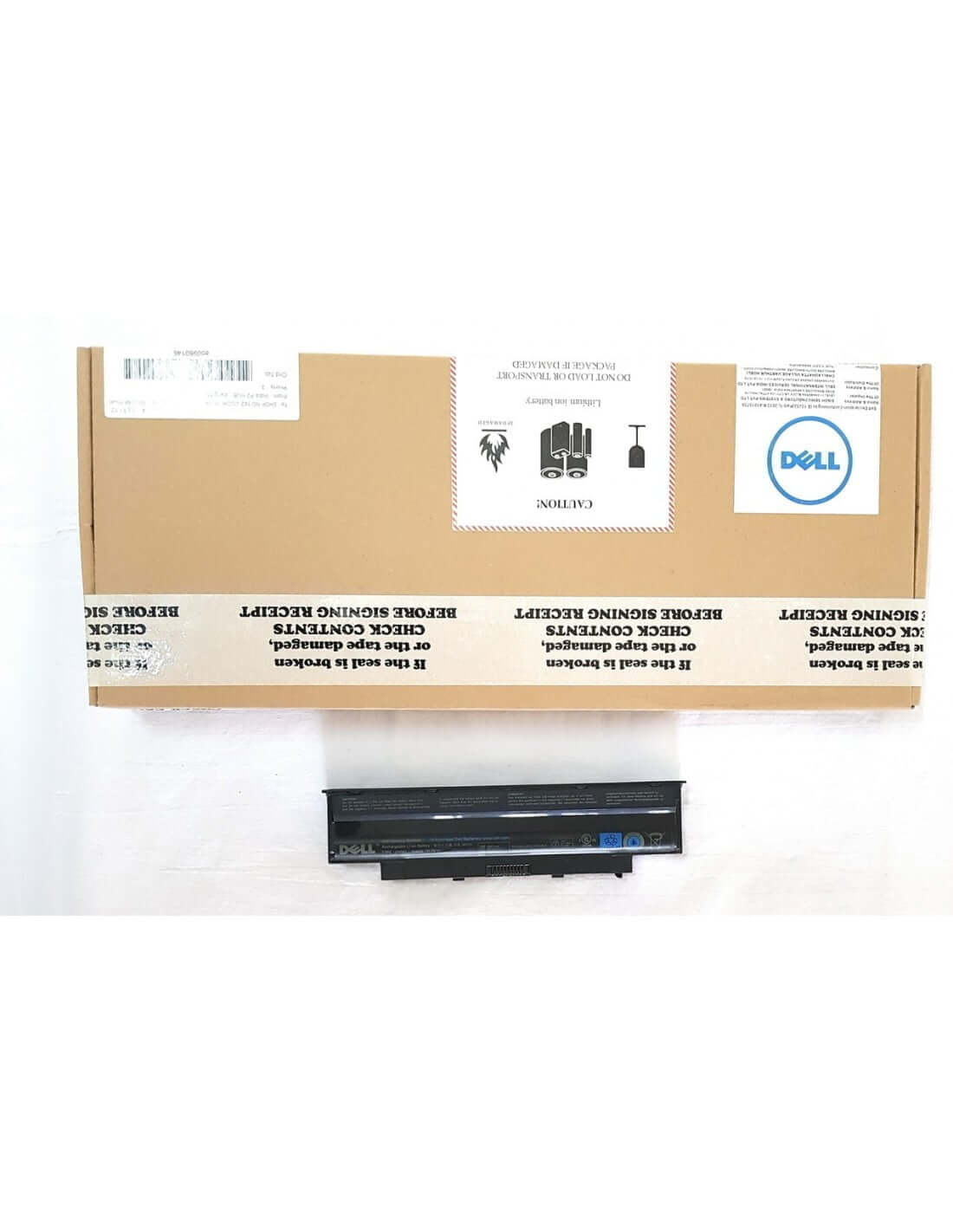
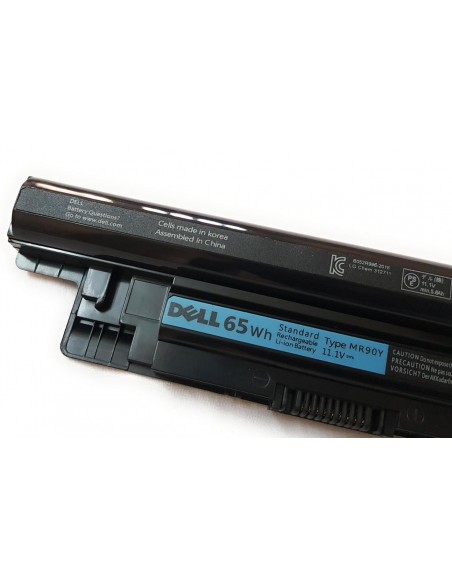
Breathe new life into your Dell laptop with the high-performance Dell 3117 J Replacement Battery. If you are tired of being tethered to a power outlet or experiencing sudden shutdowns, this premium 6-cell battery is the perfect solution to restore your laptop's portability and ensure reliable, long-lasting power. Engineered with Grade A cells, this battery provides a dependable and cost-effective way to extend the life of your device, allowing you to work, study, and stream without interruption.
- High-Capacity 6-Cell Design: Delivers extended run time and consistent power output, allowing you to stay productive for longer periods between charges.
- Premium Grade A Cells: Manufactured with top-tier cells that ensure superior performance, a longer lifespan, faster charging, and enhanced safety compared to lower-quality alternatives.
- Perfect Compatibility: Designed as a direct replacement for original Dell part number 8 K1 VG, guaranteeing a seamless fit and flawless operation with your compatible Dell laptop.
- Advanced Safety Features: Equipped with integrated circuit protection to safeguard against potential risks such as overheating, overcharging, and short-circuiting, protecting both you and your device.
- Stable 11.1 V Output: Provides the precise voltage required by your laptop for stable and efficient performance, preventing power-related system errors.
- One-Year Comprehensive Warranty: Your investment is protected with a full 1-year warranty covering any manufacturing defects, offering you complete peace of mind.
Unleash Your Productivity
Experience true mobility once again. With the Dell 3117 J battery, you can confidently work from a coffee shop, attend lectures, or travel without constantly searching for a power source. This battery restores your laptop to its original untethered glory, eliminating the frustration of a weak or failing power source that disrupts your workflow.
A Smart and Reliable Upgrade
Replacing your laptop's battery is a smart, economical choice over purchasing a new device. This replacement battery not only saves you money but also ensures you get reliable performance you can count on. The use of Grade A cells means it holds a charge effectively and degrades at a much slower rate, providing you with a dependable power source day after day.
Engineered for Performance and Safety
Trust in a product built to meet and exceed original equipment manufacturer (OEM) specifications. Every battery undergoes rigorous quality control checks to ensure it delivers on its promise of longevity and safety. The robust internal components work together to provide a steady stream of power while protecting your valuable laptop from electrical hazards.
Product Specifications
- Product Name: Dell 3117 J Laptop Battery
- Brand: Dell
- Voltage: 11.1 V
- Cell Count: 6-Cell
- Battery Type: Lithium-Ion
- Condition: Brand New
- Cells Quality: Grade A
- GTIN: 696599456627
- HSN Code: 8507
- Warranty: 1 Year Manufacturer Warranty
Full List of Compatible Part Numbers
This battery is a direct replacement for the following Dell battery part numbers. To confirm compatibility, please check the part number printed on your laptop's original battery.
(Please verify your original battery's part number to ensure a perfect match.)
Full List of Compatible Models
This battery is compatible with a wide range of Dell laptops. While this list is extensive, it is always best to verify compatibility with your specific model number, which can be found on the bottom of your laptop.
(Note: This is not an exhaustive list. If your model is not listed, please check your original battery's part number.)
- Dell Inspiron Series
- Dell Latitude Series
- Dell Vostro Series
- Dell Precision Series
(Please ensure your specific model number and original battery part number match before purchasing.)
Installation and Care Instructions
To maximize the life and performance of your new battery, we recommend the following:
- Calibrate the Battery: Upon first use, charge the battery to 100% and then continue charging for another 2 hours. Afterward, use your laptop until it shuts down due to low battery. Finally, recharge it back to 100% without interruption.
- Avoid Full Discharges: For daily use, try to keep the battery level between 20% and 80%. Regularly draining the battery to 0% can reduce its overall lifespan.
- Temperature Control: Avoid exposing your laptop to extreme heat or cold, as this can damage the battery cells and reduce their efficiency.
- Storage: If you plan to store the battery for an extended period, discharge it to around 50% and store it in a cool, dry place.



 Pick up from the Store
 Free Courier delivery
 BlueDot Air Courier delivery

 10 Days Easy Returns window.
 Free Exchange.

Reviews
Clear filtersThere are no reviews yet.